
1:16
Ratio
Coffee to water. A little tighter tastes richer; a little wider tastes brighter.
Android closed test now open
Brewing your own coffee is a quiet ritual. Same beans, same kettle, a different cup every morning? PourPulse guides each bloom, pour, and pause—then remembers what made the good one good.
Try it in your browserIt starts with a bean. Where will yours take you?
Inside the app
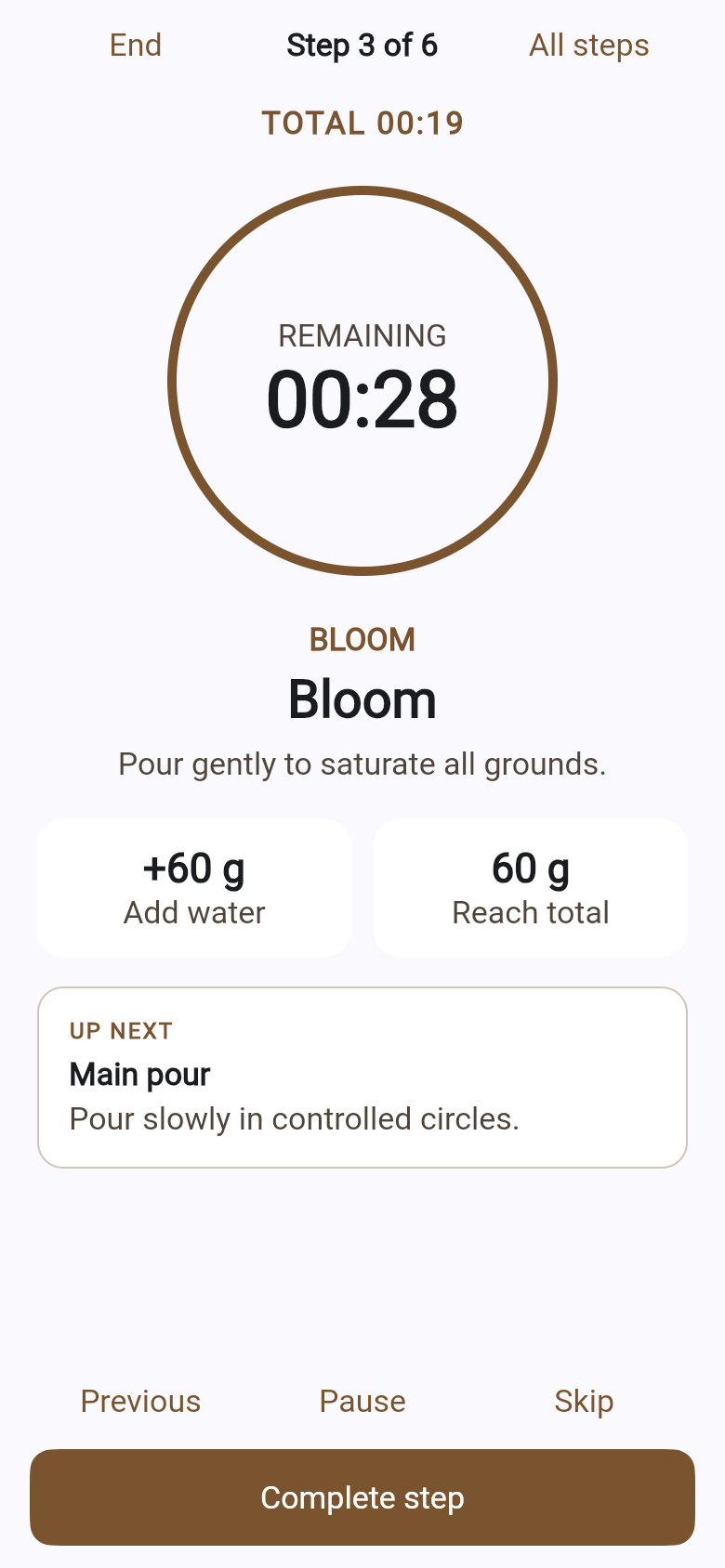
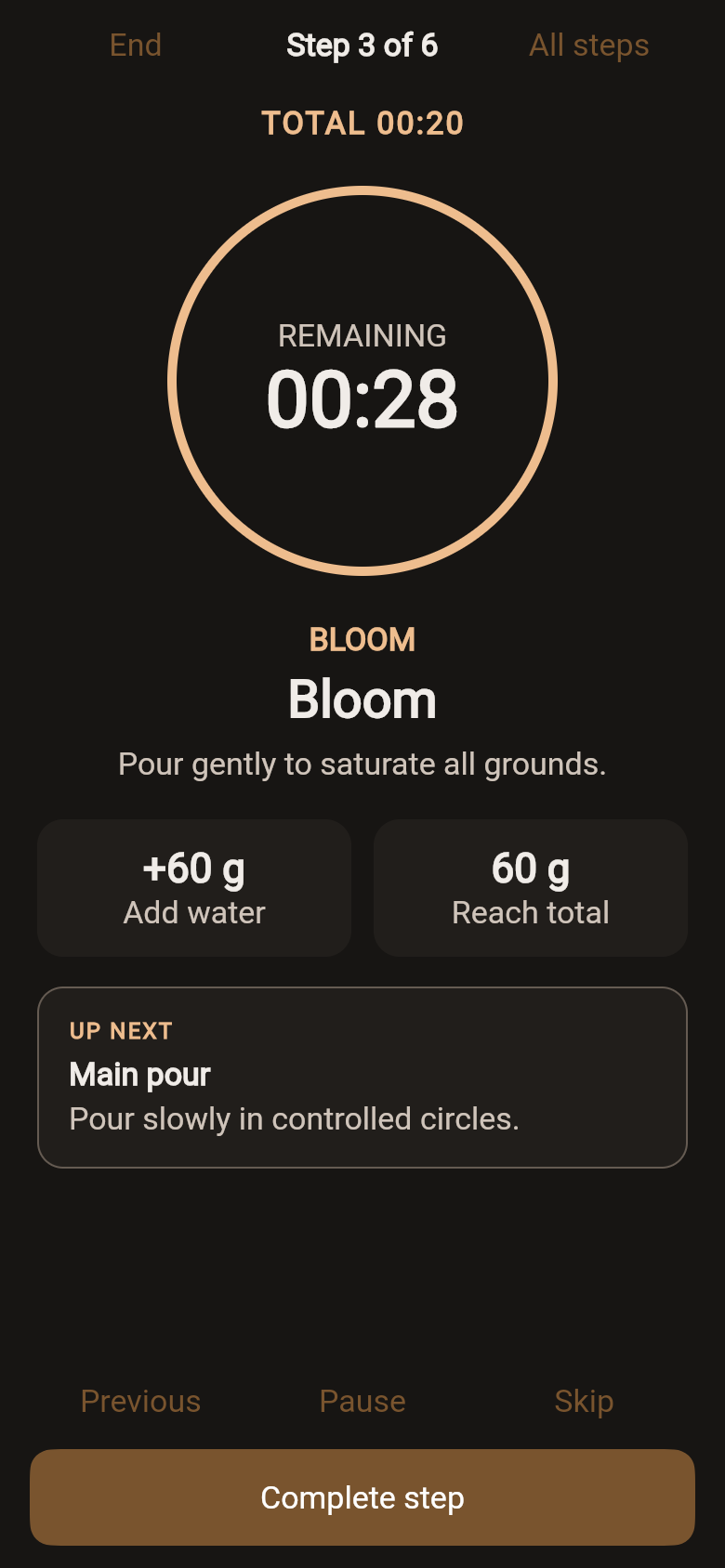
Big timer, the current pour target, and what comes next. Nothing else competes for your attention while the kettle is in your hand.
The variables
Brewing your own coffee is a quiet experiment. Change one variable and the flavour moves. PourPulse keeps every variable in view, so the next adjustment is a decision instead of a guess.
Example starting points for a V60—not a universal recipe.
1:16
Coffee to water. A little tighter tastes richer; a little wider tastes brighter.
93°C
An example starting point. Explore how temperature changes the cup.
45 s
Let trapped gas escape before the main pours so water reaches every grind.
3:00
A starting point, not a rule. Keep time alongside grind, dose, and taste.
How it works
Pick V60 or phin and see the dose, ratio, temperature, grind, and expected time.
Choose your beans and scale coffee, water, and ratio together.
One instruction, one timer, and one water target at a time—hands free to brew.
Rate the cup, add tasting notes, and keep the session for next time.
Inside the app
Big timer, the current pour target, and what comes next. Nothing else competes for your attention while the kettle is in your hand.
Two rituals. Your rhythm.
Each recipe combines setup guidance, preparation, timed steps, water targets, and a saved result.
More methods are on the way. Testers help decide which comes next.
Bloom, then pour in stages for a clean, bright, tea-like cup.
A slow, steady drip that builds a rich, concentrated cup—perfect over ice.
Android closed test
We are looking for people who enjoy brewing their own coffee to try PourPulse on Android. Your feedback decides what we fix, polish, and build before the public release.
Join our Google tester group, then open the test page using the same Google account you use on Google Play.
Join the tester group firstOpen the test page on your Android phone, sign in with the Google account you use on Google Play, and tap Become a tester.
Use the Google Play link on that page to install PourPulse. Updates arrive automatically.
Stay opted in and brew with it a few times a week. Google requires at least 12 testers to remain opted in continuously for the preceding 14 days.
Seeing “App not available”? Check your Google account, check that the test is available in your country, then open the Play testing page for the build.
The closed test is Android only. On iPhone, or without Google Play, try PourPulse in your browser.
Report an issue
Good reports get fixed fastest. Use either channel below, and include the details in the checklist.
Open PourPulse in the Play Store, find Private feedback to developer, and select Write feedback. This is private tester feedback, not a public review.
Best for screenshots, screen recordings, or anything that needs a conversation.
Email a bug reportPlease do not include passwords, payment details, or other sensitive personal information.
More support optionsFAQ
Brew. Taste. Make it yours.
Join the closed test, brew with PourPulse for two weeks, and help us make brewing your own coffee simpler.